You and your partner browse Bazaraki separately, text each other screenshots, forget what you've already seen. RentCrew syncs your search — mark owners, hide realtors, filter the map together.
No setup, no configuration. Just install, create, and share.
Add RentCrew from Chrome Web Store. Takes 5 seconds.
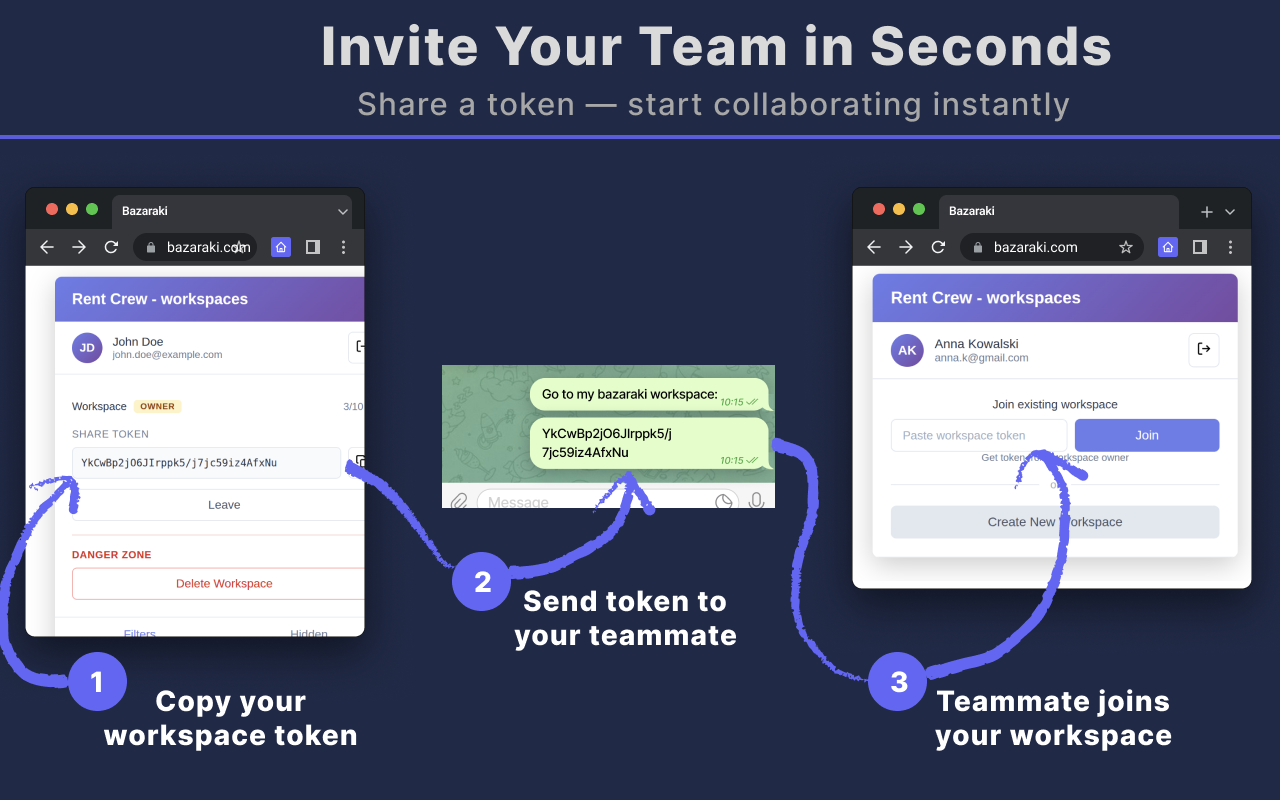
Sign in with Google, click "Create Workspace" — you get a share token.
Send the token to your partner. They paste it and join. Done — both of you now see the same marks on every listing and on the map.
Everything works on Bazaraki.com — on listing pages and on the map.
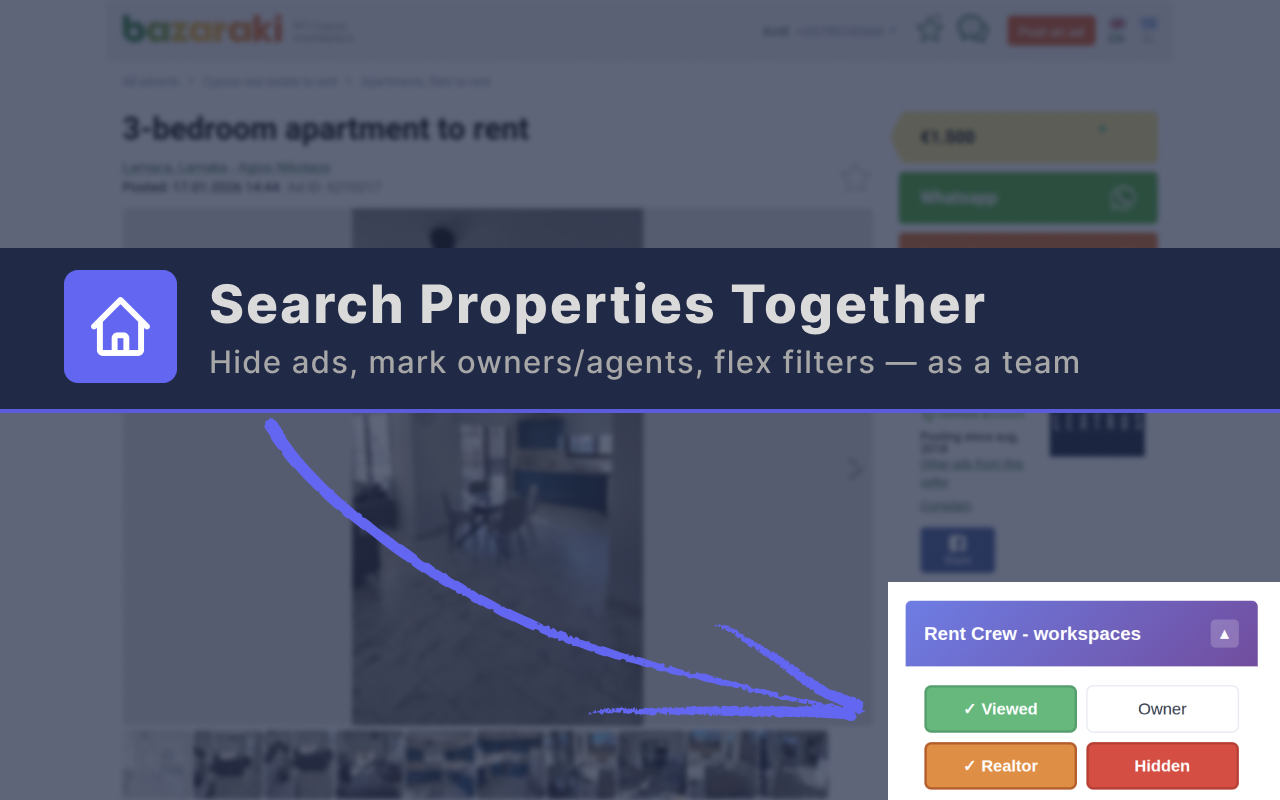
Create a workspace, share a token. Both of you see the same data — viewed listings, hidden ads, owner tags.
One click to hide a listing from the map for everyone. Filter by price range and seller type to find what fits.
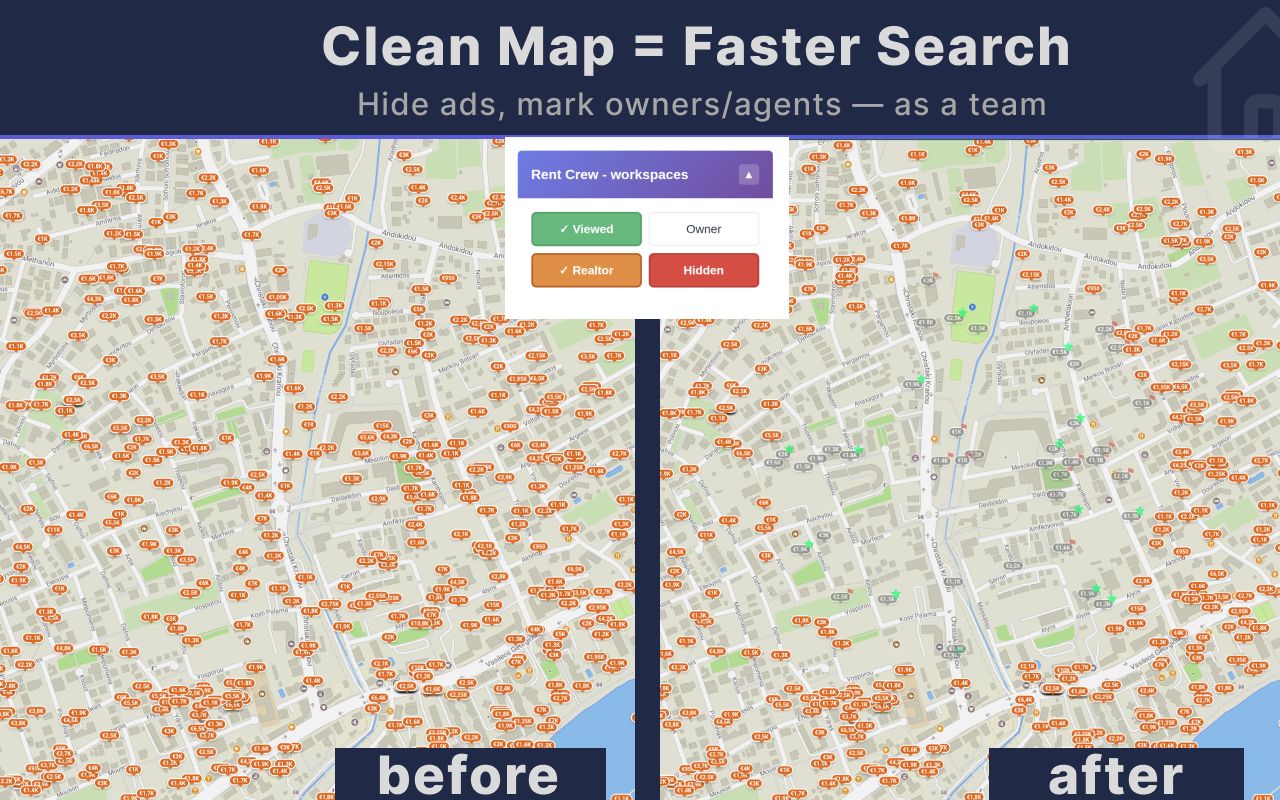
Tag who posted the ad. Filter the map to show only direct-from-owner properties. Stars mark owners, flags mark realtors.
Hidden listings disappear. Viewed ones fade. Only what matters stays on the map.
Searching together, one of you is already in Cyprus, the other is still remote. Stop texting screenshots back and forth.
Friends looking for a shared place. Everyone browses on their own — nobody knows what the others already checked.
Relocating with kids. One parent handles the search, the other reviews shortlisted options in the evening.
Install the free extension, create a workspace, and share the token with your partner.
Install Free